Hi, using latest version of Ventura with USBC-768H4 latest driver v3.20 R03 — four 1080 monitors hooked up to it.
I am able to arrange all monitors using Ventura system settings, but this arrangement is never saved when I need to reboot / shutdown, and I have to redo it every time.
How can I make OSX save these monitor arrangement settings? Or is there a third party app I can use to force this monitor arrangement upon OSX?
Thank you for contacting us at welcome to the Plugable forums! There are a few steps we can take to help improve this monitor orientation arrangement. For a bit of context some of the troubleshooting around this specific issue will be focused on adjusting the macOS InstantView software settings itself and other steps with the macOS operating system.
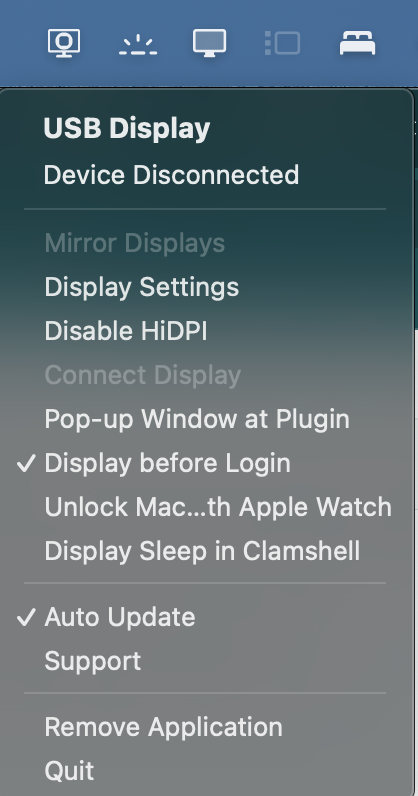
In the macOS menu bar, please navigate to the macOS InstantView icon this looks like a monitor with a square inside it. Enable the setting “Display before Login”, this will make it so macOS InstantView is enabled before logging into your computer and restarts.