I’ve got Logitech desktop speakers plugged into my docking station but they won’t play. Speakers play fine when plugged directly into the laptop (Lenovo ThinkPad X1)
Hello,
Thank you for reaching out. I’m sorry to hear your speakers aren’t working as expected through the UD-6950Z, and I’ll be happy to assist
I’m not immediately positive what the cause of this may be, so to start I have a few questions so we can look into this further:
-
What is the specific model number of your Logitech speakers?
-
Are the speakers connected to the dock through USB, or are they connected through the dock’s 3.5mm analog audio jack?
-
Which is set as the active sound output device when you have the speakers connected through the dock and they aren’t working? You can check this with the following steps:
-
Right-click the speaker icon in the system tray (bottom-right of the taskbar).
-
Click Sound settings.
-
Under Output, look at Choose your output device.
-
The device shown/selected there is the current default audio output.
-
Please let me know if you have any questions as well.
My apologies for the frustration, and thank you for giving us the chance to help.
Sam
Plugable Technologies
-
What is the specific model number of your Logitech speakers? idk… they are super basic ones
-
Are the speakers connected to the dock through USB, or are they connected through the dock’s 3.5mm analog audio jack? audio jack
-
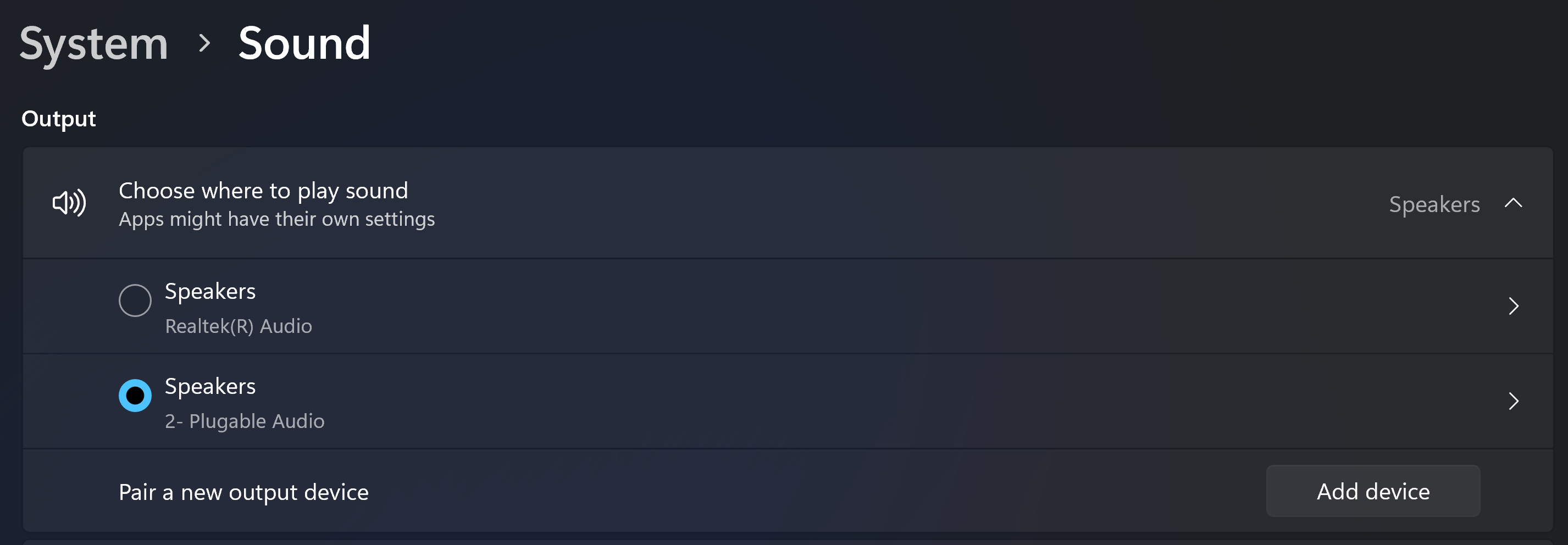
Which is set as the active sound output device when you have the speakers connected through the dock and they aren’t working? You can check this with the following steps: I tried this, my computer sees the dock, but doesn’t switch over when I click in it.
Hi again,
Thanks for providing those details - it looks like the audio device is configured correctly in Windows, so I’m not positive why it’s not working through the dock.
As a quick check, can you please check if the speakers’ audio cable is firmly seated on both ends?If it’s not fully connected it could cause no audio to pass through it.
In case that doesn’t help I’d recommend performing a clean reinstallation of the DisplayLink driver. This involves removing the existing driver from the system and installing the latest version. It will also reset the dock’s internal USB hubs which can help resolve issues when one or more functions of the dock aren’t quite working. You can find the steps on how to do this here: https://kb.plugable.com/question/373346
Please let me know how this works out. My apologies again for the frustration.
Sam
Plugable Technologies
Going to try the driver thing tomorrow. The jack is good because it works fine when I plug it directly into the laptop. I have tried plug the dock into the different USBs on the laptop. Doesnt work in any of them.
Hi again,
Thanks for trying this. I’ll stand by for now while you do that, but please don’t hesitate to ask if you have any questions in the meantime.
I hope you have a great day!
Sam
Plugable Technologies