problem getting my external LG monitor to work with TBT4-UDZ pluggable. apparently on 12mb of thru put from dock to my macbook air m4 running tahoe 26.2 thru the lighteni
Hi Rob,
Thank you for posting! I am sorry things are not working as expected while using your TBT4-UDZ docking station, and I would be happy to assist.
Based on your description of the behavior I have a few questions for you:
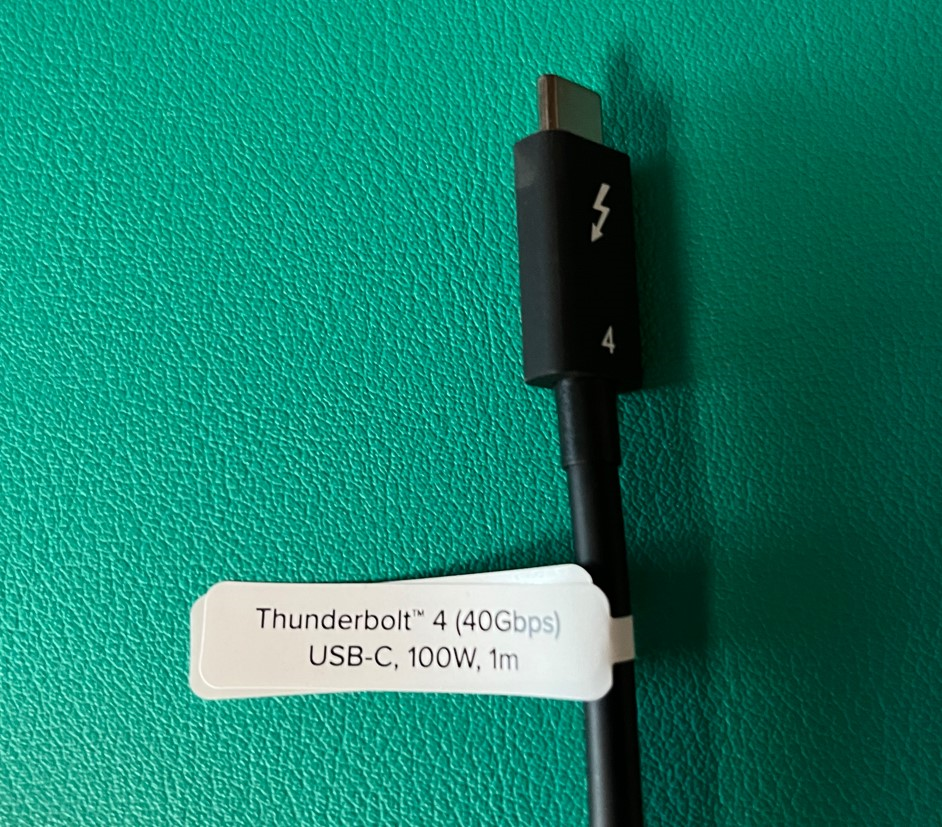
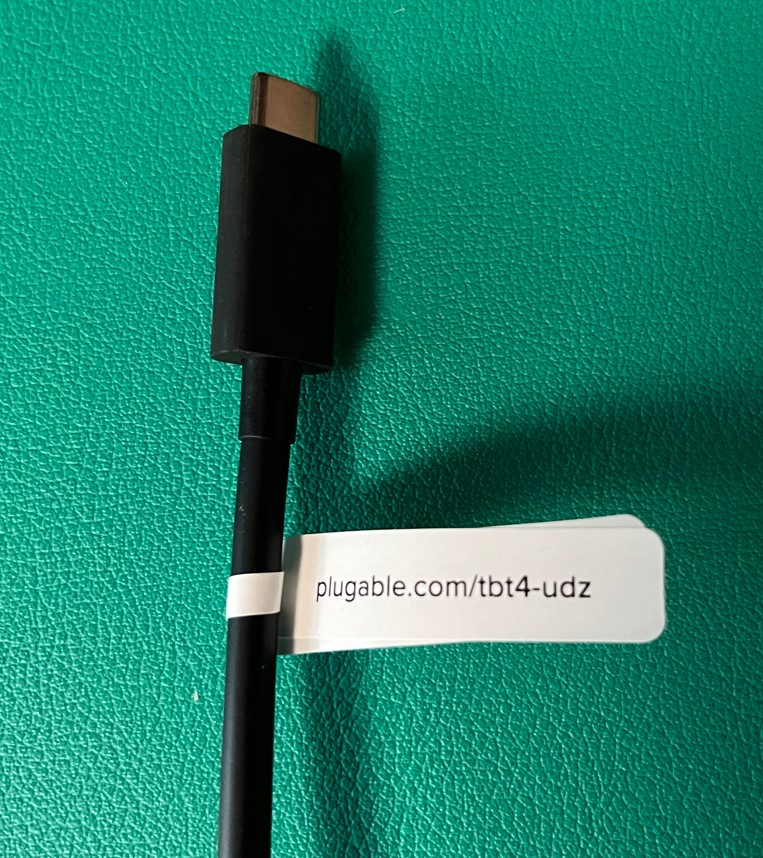
1. Can you please confirm that you are using the 1 meter long 40Gbps Thunderbolt 4 cable that Plugable originally included in the box with the TBT4-UDZ in order to connect the dock to your Mac?
The original Plugable Thunderbolt 4 cable has a small white cable ‘flag’ attached to it that lists the product model name on one side and the cable’s specifications on the opposite side, and I have included inline below photos of both sides of the cable flag for your reference.
I ask because other cables can sometimes cause problems.
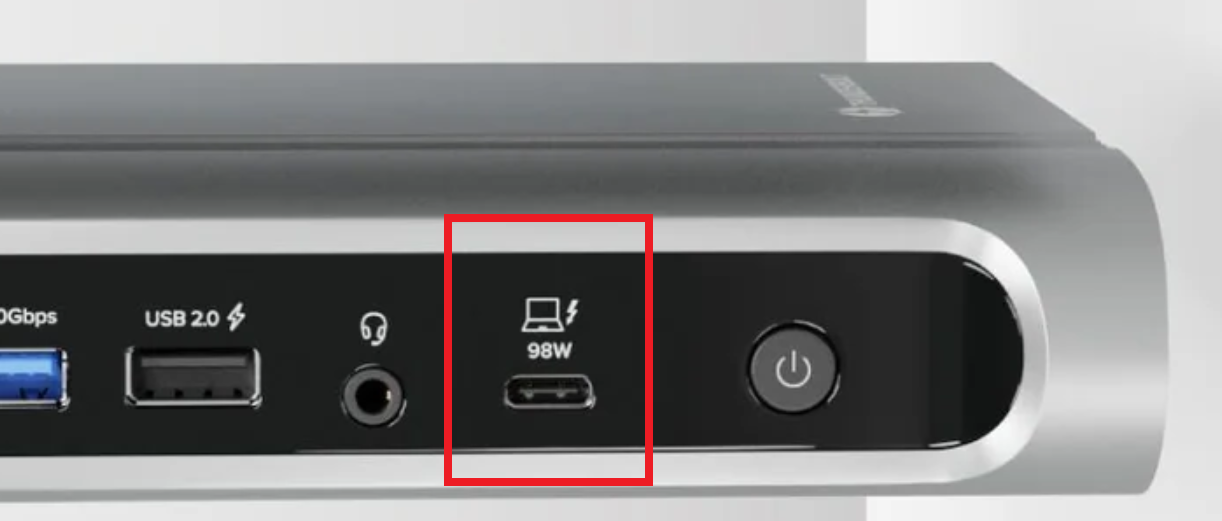
- Can you please confirm that the original Plugable Thunderbolt 4 cable is connected to the single Thunderbolt 4 host connection port located on the front of the TBT4-UDZ (next to the dock’s power button)?
This is important because if the cable is connected to any other port within the dock, then the dock will not work as expected.
For your reference, I have included inline below a photo of the front of the dock with the Thunderbolt 4 host connection port highlighted.
Apologies again for the frustration, and thank you for giving us the chance to help!
Bob
Plugable Technologies
Hi Bob,
Yes, I’m absolutely using the cable you highlighted. I did do some troubleshooting with the help of AI (Gemini) and that was one of the points they made repeatedly that does not appear to be the issue.
I welcome your help. I’m excited to use the product, but as yet cannot, I was actually having problems with the Sachi dock that I had and was advised to get the pluggable thunderbolt dock as a more robust solution with expansion options.
Best regards, Rob
PS I can get in a call at REMOVED BY MODERATOR to expedite problem-solving
Hi Rob,
Thank you for getting back to us with the update, and I am sorry that the unexpected behavior remains.
Given your latest description of the behavior our next step is to get some additional information.
Can you please send an email to our direct support email address → support@plugable.com with ‘For ticket #- 489563’ in the subject line that contains the following information?:
- The Amazon Order ID number for your TBT4-UDZ purchase
2. While the TBT4-UDZ is connected to your Mac (even if not working as expected), the output of our diagnostic utility PlugDebug → https://plugable.com/pages/plugdebug
That information will help us to determine the next steps.
*** IMPORTANT NOTE - Please do not post the information we requested above here in our public forum (it contains personally identifiable information) ***
Thank you for your patience while we assist!
Bob
Plugable Technologies
P.S. With regard to a phone call, Plugable does not offer phone support. We keep the quality of our support high by putting you in direct contact with experts on the products you’re seeking assistance with in the United States via email, and email allows us to provide and receive complex information via the aforementioned PlugDebug utility.
Hi,
Please help!.
The Amazon Order ID number for my TBT4-UDZ purchase is: Order # REMOVED BY MODERATOR
output from the plugable diagnostic:
Tool Version: 0.10.0
[08:53:08] GATHERING: System Profile
[08:53:09] GATHERING: Loaded Kernel Modules
[08:53:10] GATHERING: USB Serial Devices
[08:53:11] FINISHED: Loaded Kernel Modules
[08:53:11] FINISHED: USB Serial Devices
[08:53:11] GATHERING: Running Processes
[08:53:12] FINISHED: Running Processes
[08:53:12] GATHERING: Running Services
[08:53:13] FINISHED: Running Services
[08:53:13] GATHERING: Network Settings
[08:53:14] FINISHED: Network Settings
[08:53:14] GATHERING: Directory Info
[08:53:15] GATHERING: DisplayLink Logs
[08:53:15] SKIPPED: DisplayLink Logs
[08:53:15] FINISHED: DisplayLink Logs
[08:53:16] FINISHED: Directory Info
[08:53:16] GATHERING: pList Files
[08:53:16] GATHERING: DisplayLink Display Info
[08:53:16] SKIPPED: DisplayLink Display Info
[08:53:16] GATHERING: DisplayLink Networking Info
[08:53:16] SKIPPED: DisplayLink Networking Info
[08:53:16] GATHERING: DisplayLink Display Info
[08:53:16] SKIPPED: DisplayLink Display Info
[08:53:16] GATHERING: DisplayLink Networking Info
[08:53:16] SKIPPED: DisplayLink Networking Info
[08:53:16] GATHERING: Display Preferences
[08:53:16] SKIPPED: Display Preferences
[08:53:16] FINISHED: pList Files
Regards,
Rob Geier
REMOVED BY MODERATOR
Hi Rob,
Thank you for the update!
We can see that you have reached out to us directly via our direct support email, and we have just sent our direct reply.
Moving forward, we will only be assisting you directly in an effort to help keep all communication in one place.
Also note, we have redacted the phone number and Amazon Order ID number you posted within this forum thread in order to help protect your privacy.
Thank you,
Bob
Plugable