When I connect my laptop to my Plugable dock to 3 monitors and turn on laptop only 2 monitors work. When I restart the laptop the 3rd monitor usually works. The 3rd monitor as attached is HDMI connected.
How do I fix this issue?
I can’t run https://plugable.com/pages/plugdebug on my work laptop.
I run DisplayLink manager App Version: 3.2.14.0 and Driver version 12.12684.0
My laptop: System SKU LENOVO_MT_21R2_BU_Think_FM_ThinkPad T14s Gen 6
Thanks
Hello,
Thank you for contacting Plugable support! Sorry to hear about this issue. I’d be more than happy to assist you.
Since you are unable to run our diagnostics utility due to it being a work laptop, do you know if you are also limited in your ability to update the system drivers?
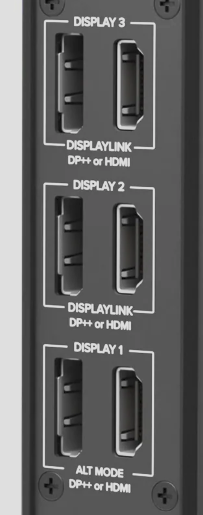
I ask because the display that isn’t working reliably appears to be connected to the USB-C “Alt Mode” based output on the dock (is not using the DisplayLink chipset). This output of the dock uses the native USB-C video capabilities of your system to drive the attached display and is ultimately controlled by the graphics chipset in the laptop itself. So I would suggest if possible to try updating the system graphics drivers for your laptop as our first step.
Looking at the laptop specifications here: https://psref.lenovo.com/Product/ThinkPad/ThinkPad_T14s_Gen_6_Intel?tab=spec I believe you should be able to install the latest Intel graphics drivers that will be appropriate for your system model from here: https://www.intel.com/content/www/us/en/download/785597/intel-arc-graphics-windows.html
If this does not help or if you are unable to install it, please let me know.
Thanks again for contacting Plugable support and best wishes!
Joshua Henry
Senior Engineer | Product Owner
Plugable Technologies

Hi,
Graphics drivers are all the latest. I use the exact same 3 monitors. If I rearrange DP/HDMI to monitors differently there’s always 1 monitor that has no picture. Restarting laptop fixes it but trying to get it to work on initial startup
Wondering if it’s just a setting I missed someplace like fast boot, ports sleeping, some sequence …Running Win 11 pro.
Thanks
Thank you for checking the graphics drivers and for moving the monitors around to check the outputs.
For the one monitor that results in no picture, is that monitor always the same physical monitor that’s being affected, or is the problem affecting that specific HDMI/DP port on the dock regardless of what actual monitor is being connected there?
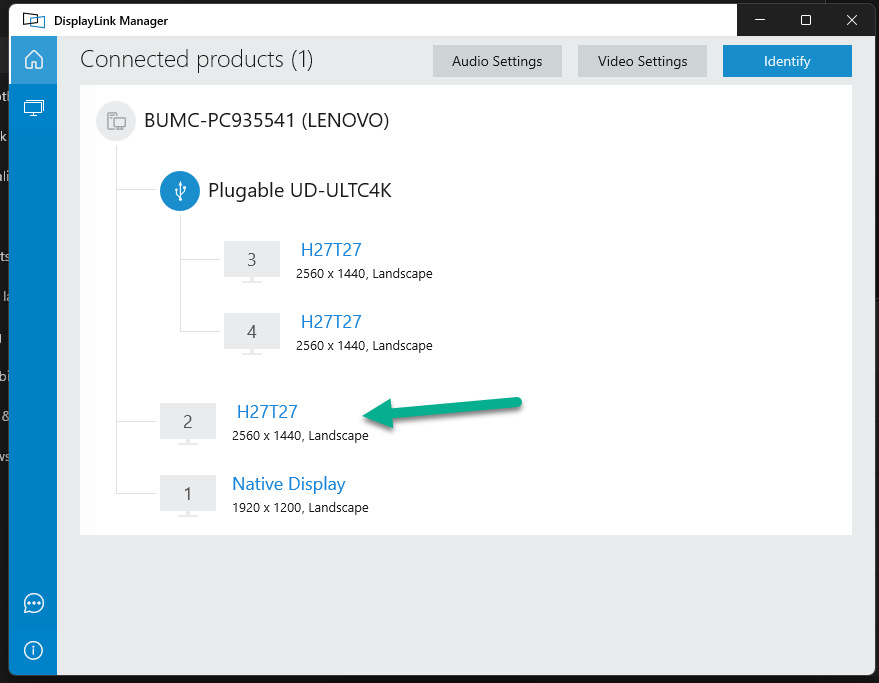
From what I can see from your DisplayLink screenshot earlier, I’d assume it’s the lower “Display 1” Alt Mode HDMI and DP outputs that are affected?
Regarding settings, I wouldn’t expect that fast boot would cause this problem unless it’s causing the dock to be ignored during the boot process. (Most of the systems we test with do have fast boot enabled and we haven’t observed that being an issue that I am aware of.)
As a test, if you boot the laptop and then connect the dock (rather than connecting and then booting), will that allow all three to light up? Or does that process also result in needing to reboot before all three work?
Thanks again,
Josh